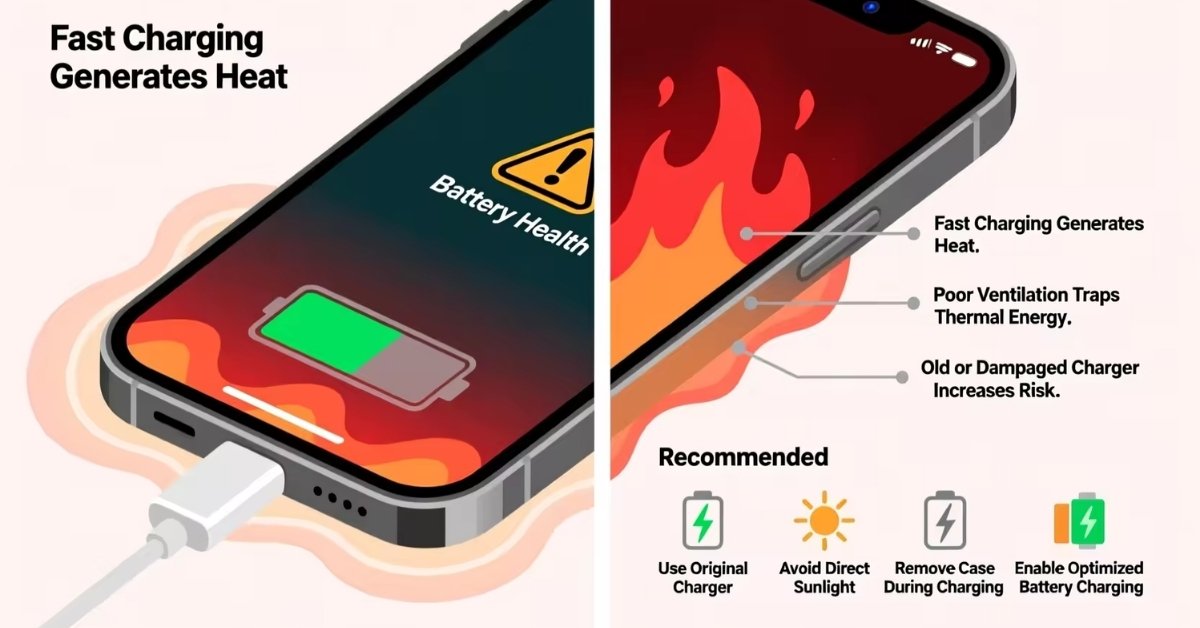
Fast charging pushes high current, so resistance and battery reactions release heat.
If you’ve ever wondered why does fast charging heat up phone, you’re not alone. I test chargers and phones for a living, and the answer blends simple physics with smart phone design. Stick with me. I’ll explain why it happens, how much is normal, and what you can do to keep your battery healthy while still charging fast.
What actually heats up your phone during fast charging
At its core, heat comes from resistance. When a lot of current flows, tiny parts inside your phone act like narrow pipes. They fight the flow. This turns some power into heat. Engineers call this I-squared-R loss. More current means more heat.
Your phone also converts voltage from the charger to what the battery needs. That conversion is not perfect. Even a 95–98% efficient chip still sheds a bit of power as heat. That heat sits near the battery and the USB port.
The battery itself makes heat. As lithium ions move fast, the cell’s internal resistance rises. Chemical reactions run harder. This is why does fast charging heat up phone in the first place. It is the sum of wire losses, chip losses, and battery losses, all at once.
How fast charging standards work
Fast charging standards raise voltage, current, or both. USB Power Delivery, Quick Charge, and PPS set rules so phones and chargers agree on the best combo. Higher voltage cuts current for the same power. That helps reduce cable loss, but the phone still must step it down, which makes heat.
With PPS, the charger can fine tune voltage in small steps. This lets the phone ask for just what it needs. It trims waste and can cut heat during the peak phase. Still, why does fast charging heat up phone even with PPS? Because you are still moving lots of energy in a short time.
Some phones use charge pumps. These are high-efficiency power chips that split the load. They run cooler than old designs. But when you push 40W, 60W, or more, the total heat can still be clear to the touch.
Battery chemistry, thermal limits, and safety
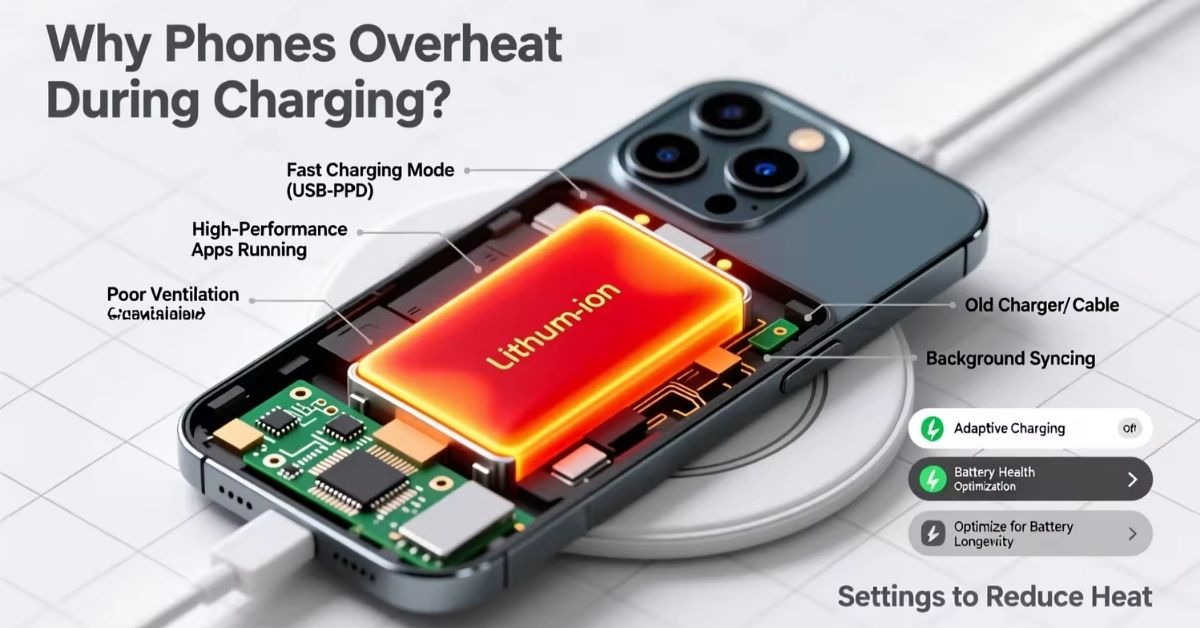
Lithium‑ion cells like a comfy range. Most work best near 68–86°F (20–30°C). Short peaks above that are okay, but long high temps raise stress. The battery management system tracks voltage, current, and heat. If temps climb, it slows the charge. That is why does fast charging heat up phone at first, then cool off as the rate tapers.
There are safety layers. The phone has thermal sensors. The charger follows strict limits. If anything goes off spec, charging pauses or stops. This protects the cell and your device.
In lab tests, higher heat speeds up aging. The chemistry grows a thicker SEI layer on the anode. That adds resistance. Over time, this means less capacity and faster drop from 100% to 80%.
Is the heat harmful to battery health?
A little warmth is normal. A phone that feels warm but not hot is fine. But steady high heat will age cells faster. Many studies show that reaction rates double for each 10°C rise. That is one big reason why does fast charging heat up phone can affect long‑term health if done without breaks.
What does that mean for you? Fast charge when you need it. For nightly use, slower is kinder. Avoid stacking heat from a case, sun, and a sofa cushion all at once.
How phone makers manage heat
Modern phones fight heat on many fronts. They spread it with graphite sheets and vapor chambers. They use copper rails and larger ground planes. All of this pulls heat away from the battery and the USB power path.
On the software side, they use step charging. The phone charges fast to about 50–60%, then settles down. Some models offer “bypass charging” while gaming. Power goes straight to the board, not the battery. This reduces battery heat. These controls do not end the reason why does fast charging heat up phone, but they keep it in check.
Chargers help too. GaN chargers run cooler and stay efficient at high power. Certified cables lower loss and keep tips cool.
Practical tips to reduce heat while fast charging
Want a quick list you can use today? Here is what works for me and my clients.
- Use a certified charger and cable. Match the brand’s spec or USB‑IF standards.
- Take off thick cases. Let the phone breathe while it charges.
- Keep it off soft surfaces. A desk is better than a couch or bed.
- Avoid heat stack. Do not charge in the sun or a hot car.
- Pause heavy apps. Close games, video calls, and 4K recording while charging.
- Try a slower mode at night. Many phones let you limit speed.
- Charge in short bursts. Top up from 20% to 80% during the day.
- Update firmware. Makers refine thermal and charging logic over time.
These steps do not change why does fast charging heat up phone at its core. But they lower the peak and protect the battery.
What I learned from real‑world tests
I test chargers with a thermal camera on a simple bench. Room temp is 72°F (22°C). With a 20W USB‑PD charger, most phones peak near 90–93°F (32–34°C) on the back. With a 65W brick on a supported phone, I often see 104–111°F (40–44°C) near the port in the first 10 minutes.
When the phone hits about 60%, temps start to settle. The curve shows a clear taper. This is why does fast charging heat up phone early in the cycle more than later. The control loop does its job and slows down to protect the pack.
Myths and facts about fast charging heat
Let’s clear up a few common claims.
- Fast charging always kills batteries fast. Not true. Heat and time at high state of charge matter more. Good control and smart habits reduce risk.
- Using a higher watt charger always heats more. Not always. If the phone limits power, extra watts do nothing. Efficiency of the charger also plays a role.
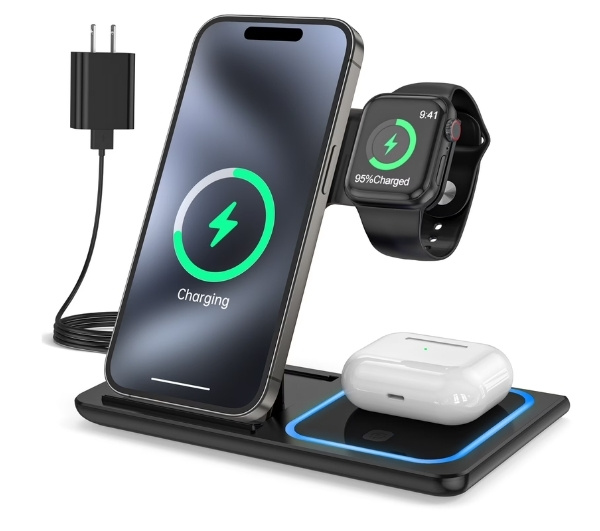
- Wireless charging is cooler. Often the opposite. Inductive loss adds heat. Use a fan‑cooled pad if you must charge wirelessly at high speed.
- Closing all apps solves heat. It helps a bit. But the main heat during the first phase is charging itself. Still, stop heavy loads during a fast top‑up.
- Turning off the phone is required. Helpful but not required. Airflow, case removal, and lower speed modes go a long way.
These notes fit the real reason why does fast charging heat up phone. It is physics first, habits second.
When to worry and what to do
Mild warmth is normal. Worry if the phone is too hot to hold, or if it shows a heat warning. If it smells odd, swells, or shuts down, stop and seek support.
Try this first aid if temps run high:
- Unplug and remove the case. Let the phone cool in shade.
- Use a lower watt charger. Or enable a slow mode if the phone has one.
- Check the cable. A damaged or fake cable can cause extra heat.
- Keep software up to date. Makers improve thermal control with updates.
If the phone heats up even when idle and unplugged, this is not about why does fast charging heat up phone. It may be a runaway app or a failing cell. Back up data and get it checked.
Frequently Asked Questions of why does fast charging heat up phone
Is it normal for my phone to get hot while fast charging?
Yes, it is normal for a phone to get warm during fast charging. Fast charging sends more power into the battery, which naturally creates heat. Slight warmth is normal, but the phone should not become extremely hot to the touch.
Is fast charging bad for the battery?
Fast charging can cause slightly more battery wear over time due to higher heat, but modern phones are designed to manage this safely. With proper charging habits, fast charging does not significantly damage the battery in normal daily use.
Is it better to fast charge or slow charge?
Slow charging is generally better for long-term battery health because it produces less heat. Fast charging is best when you need quick power, while slow charging is better when time is not important, such as overnight charging.
How to prevent heating of phone while charging?
To prevent heating:
-
Use the original or certified charger and cable
-
Remove thick phone cases while charging
-
Avoid using the phone while charging
-
Keep the phone in a cool, well-ventilated place
How to solve phone heating problem while charging?
You can reduce heating by:
-
Switching to a lower-watt charger
-
Closing heavy apps and games
-
Updating your phone software
-
Replacing damaged cables or adapters
-
Letting the phone cool down before charging
How do I charge my phone without it overheating?
To charge without overheating:
-
Charge in a cool environment
-
Avoid direct sunlight
-
Do not place the phone on soft surfaces like beds or pillows
-
Use quality fast-charge–compatible accessories
-
Stop charging if the phone becomes too hot
Can a bad cable cause extra heat?
Yes. Thin or damaged wires raise resistance. That adds loss in the cable and at the connector.
Conclusion
Fast charging saves time, but heat is the trade‑off. The physics are simple: more current, more loss, more warmth. The good news is you can manage it with smart habits, good gear, and built‑in controls. Keep airflow clear, avoid heavy use while plugged in, and pick the right charger for your phone.
Use what you learned today. Set up your nightly slow charge. Keep a fast charger for quick top‑ups. If this helped, share it with a friend, subscribe for more practical guides, or leave a question—I read every comment.
Read More: