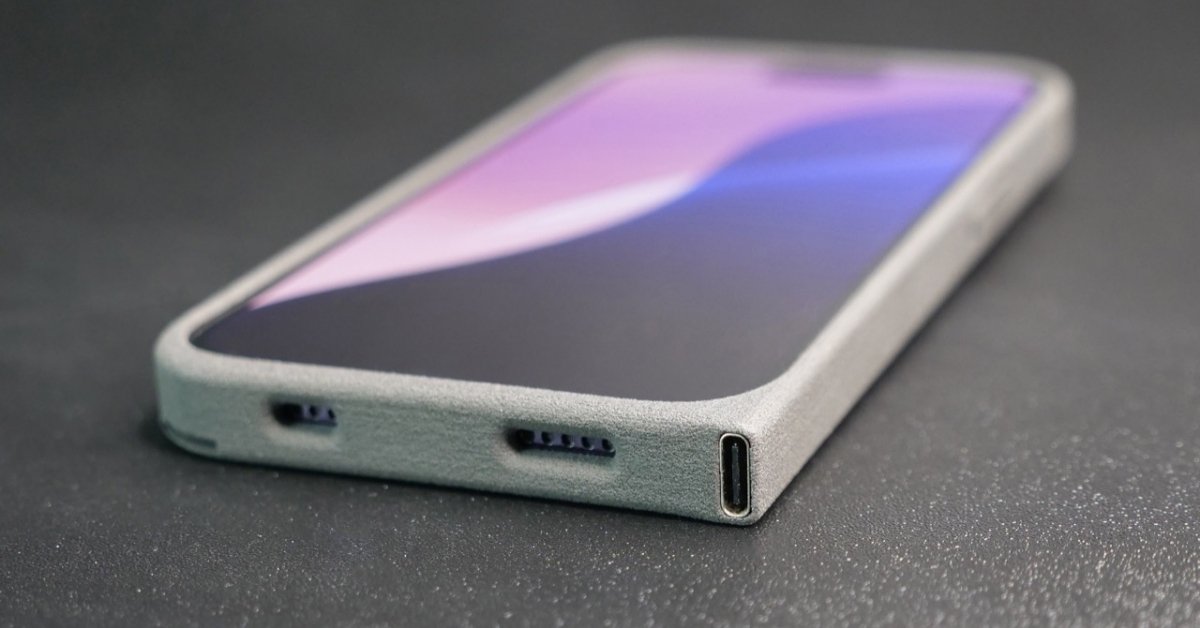
Phones set charging speed by negotiating power, monitoring heat, and protecting the battery.
If you have ever wondered how phone decides charging speed, you are in the right place. I test chargers, cables, and phones for a living, and I have seen every quirk under the sun. In this guide, I break down how phone decides charging speed with clear steps, simple terms, and real examples you can use today.
The power handshake: protocols that set the ceiling
To understand how phone decides charging speed, start with the handshake between the phone and the charger. The phone asks for power. The charger replies with what it can give. This is the core of how phone decides charging speed.
Here is what that handshake often looks like:
- Basic USB. Legacy ports give low power. Think 5 watts or less.
- USB Battery Charging. Simple boost to around 7.5 to 12 watts.
- USB Power Delivery. Smart negotiation of voltage and current. Common at 18 to 100 watts.
- USB PD with PPS. The best for phones. Fine control in small steps, which reduces heat.
- Quick Charge and other fast systems. Similar idea with brand tweaks.
- Proprietary systems. Some brands use custom voltage or split battery cells to push very high watts.
Key idea. The phone is in charge. It reads the charger’s menu and picks a safe plan. If the charger does not support the right protocol, speed drops.
Inside your phone: the chips that choose volts and amps
The hardware inside your phone does the hard work. It decides how phone decides charging speed in real time. A few parts make the call.
- Power management IC. It talks to the charger and sets voltage and current.
- Battery management system. It protects the cell from damage.
- Temperature sensors. They watch heat on the battery and the board.
- Charge pump or buck converter. It turns high voltage into the right level with less heat.
- Fuel gauge. It estimates charge level and adjusts the curve.
These parts weigh heat, battery health, and the charger’s limits. Then they pick a safe and fast path.

Charger and cable quality matter more than you think
Your charger and cable shape how phone decides charging speed. Not all gear is equal. A weak brick or bad cable can cut speed by half or more.
What to check:
- Power ratings. The charger must support your phone’s protocol and watts.
- Cable type. Some USB-C cables do not carry high current. E‑marked cables support higher power.
- Cable length and thickness. Long or thin cables add resistance and heat.
- Aging and wear. Bent or cheap cables fail under load.
Tip from the bench. When I swap a non E‑marked cable for a good one, I often see a big jump in speed.
Battery chemistry and the charging curve
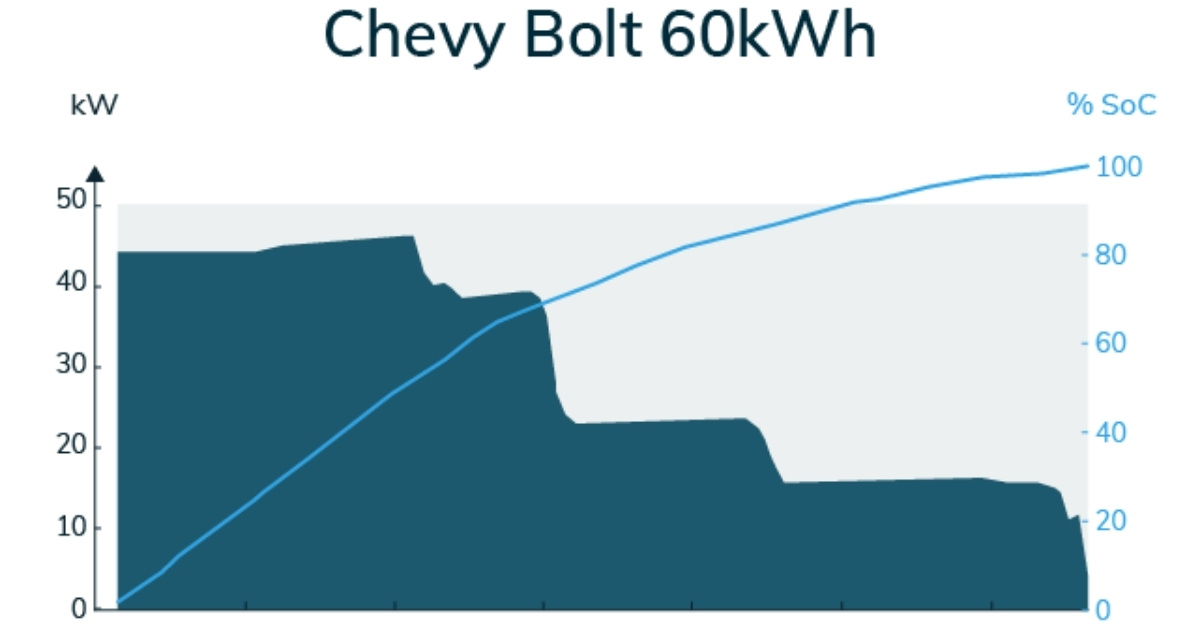
Battery physics limits how phone decides charging speed. Most phones use a two-stage plan. It is simple but smart.
- Constant current stage. The phone charges fast when the battery is low. Heat is watched very closely.
- Constant voltage stage. Near 80 to 100 percent, the phone slows down. This protects the cell.
Heat and state of charge rule the speed. Cold and hot both slow things down. Battery health also matters. Worn cells cannot take high current for long. This is a big part of how phone decides charging speed.
Software features that tame speed for battery health
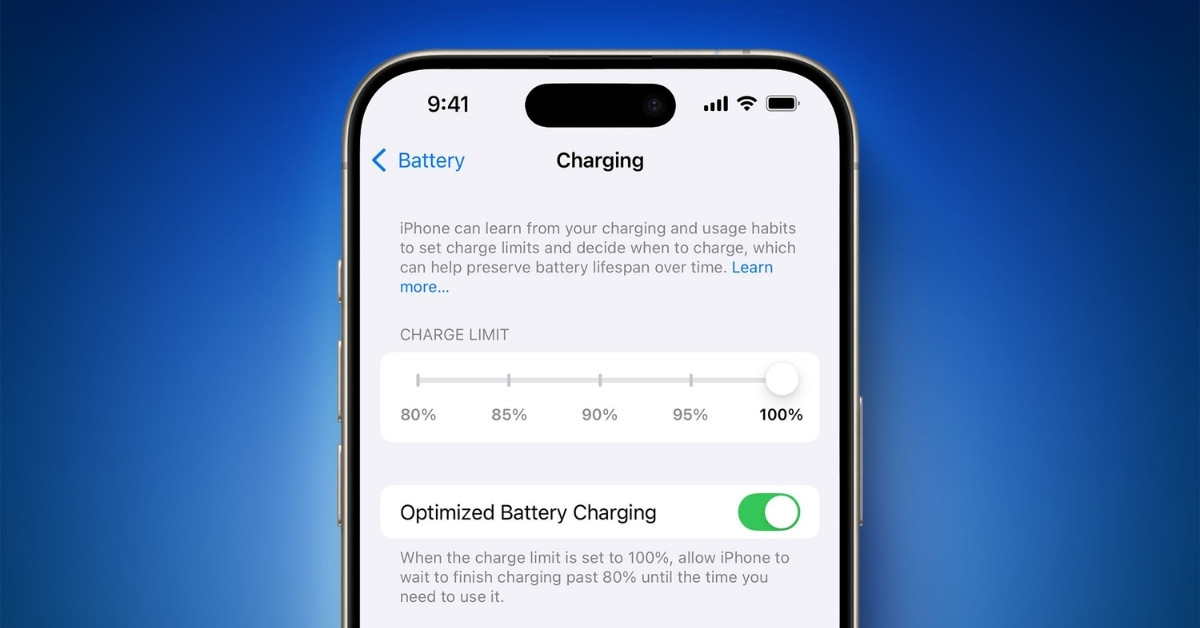
The operating system also plays a role in how phone decides charging speed. Modern phones learn your routine to cut wear.
Common features:
- Optimized charging. It pauses at around 80 percent, then tops up before you wake.
- Adaptive charging. It taps the brakes if the phone is hot or gaming.
- Battery health guard. It limits peak speed on older batteries.
These tools trade a few minutes of speed for months of battery life. That is a win.
Real‑world cases and tips that actually help
These quick checks reflect how phone decides charging speed in daily life. I use them when friends ask me why their phone charges slow.
- Use a charger with the right protocol for your phone.
- Use a short, high quality, E‑marked USB‑C cable for high watts.
- Keep the phone cool. Take off thick cases while fast charging.
- Avoid slow USB‑A ports on old laptops and cars if you want speed.
- For wireless, line up the coils and use a pad that matches your phone.
Small changes can unlock big gains.
Lessons from my tests and mistakes to avoid
Hands-on time has taught me a lot about how phone decides charging speed. Here are my biggest takeaways.
- Heat is the hidden throttle. I saw fast chargers drop from 45 watts to 15 watts when the phone got hot.
- Bad cables are common. Many “fast” cables fail to carry more than 2 amps.
- Mixed-brand stacks vary. A great charger, a good cable, and the wrong protocol still charge slow.
- Battery wear is real. Old phones do not hold peak speed long. Plan for that.
- Watts are not everything. Smart protocols like PPS can be faster in practice because they run cooler.
Do not chase numbers alone. Chase balance.
Safety, standards, and common myths
Safety rules also bound how phone decides charging speed. The phone will always protect itself even if the charger claims big numbers.
What to know:
- Overheat and overvoltage protection are built in.
- Smart protocols cut power in steps, not all at once.
- “Overcharging” is not a thing with modern phones. The system stops when full.
- A higher watt charger is fine. The phone takes only what it can use.
- Cheap no‑name bricks can lie about specs. Avoid them.
Good gear and good airflow are the best safety tools.
Troubleshooting slow charging
Use this flow to debug how phone decides charging speed when it slows.
- Check the outlet and try another one.
- Test with the original charger and cable if you have them.
- Try a short, high quality, E‑marked USB‑C cable.
- Close apps, stop games, and let the phone cool.
- Remove the case during fast charging.
- Clean the port with a soft brush to remove lint.
- Check settings for optimized or scheduled charging.
- Update the phone’s software and restart.
- Try a known good USB PD or PPS charger.
- If still slow, test the battery health at a repair shop.
These steps fix most cases I see.
Frequently Asked Questions of how phone decides charging speed
What determines the speed of charging?
Charging speed is determined by the charger’s power output (watts), the phone’s maximum supported charging speed, the charging cable quality, battery temperature, and how full the battery already is. A phone will only draw the maximum power it is designed to accept.
Is a 30W charger faster than a 20W?
Yes, a 30W charger can be faster than a 20W charger, but only if the device supports charging above 20W. If the device is limited to 20W or less, a 30W charger will not increase charging speed.
Is 45W faster than 25W?
Yes, 45W can be faster than 25W, but only if the phone supports 45W charging. If the phone is designed for a maximum of 25W, using a 45W charger will not make it charge faster.
What charges faster, 1.0 A or 2.4 A?
2.4 A charges faster than 1.0 A when voltage is the same. Higher current (amps) means more power, which allows faster charging.
Can I use a 100W charger for a 65W phone?
Yes. It is safe to use a 100W charger for a 65W phone. The phone will only take up to its maximum supported power (65W). The charger does not force extra power into the phone.
What increases charging speed?
Charging speed can be increased by using a higher-watt charger that matches your phone’s supported fast-charging standard, using a high-quality fast-charge cable, keeping the phone cool, and charging when the battery is at a lower percentage.
Why does my phone charge slow while I am gaming?
Heavy use creates heat and draws power. The phone lowers charging speed to keep temperature in check.
Conclusion
Now you know how the handshake, the hardware, the cable, the charger, the battery, and the software all work together to set charging speed. Use the right protocol, a solid cable, and good cooling, and your phone will charge fast and stay healthy. Try one tip today, watch your numbers improve, and share what worked for you. If you found this helpful, subscribe for more simple guides and real tests.
Read More: